
Every property. One place to book, track, and pay.
A free, private portal for property managers and home management firms, with a vetted YJ electrician at every door.
Set up within one business day
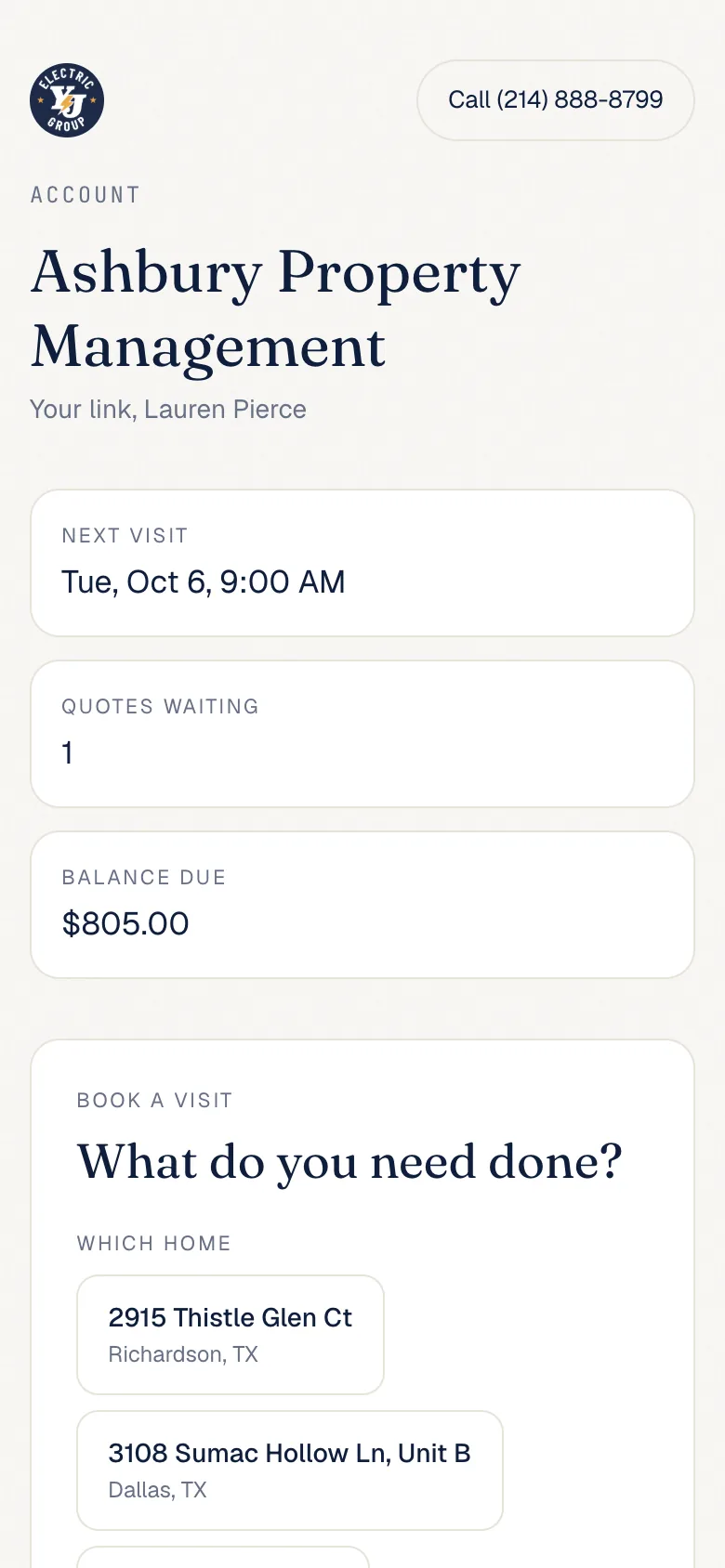
One link for every property.
Each person on your team gets a private link by text. It opens on any phone or computer, and this is what they see.
Your properties are saved, so booking starts with a tap. A new address takes one line, and the portal remembers it.
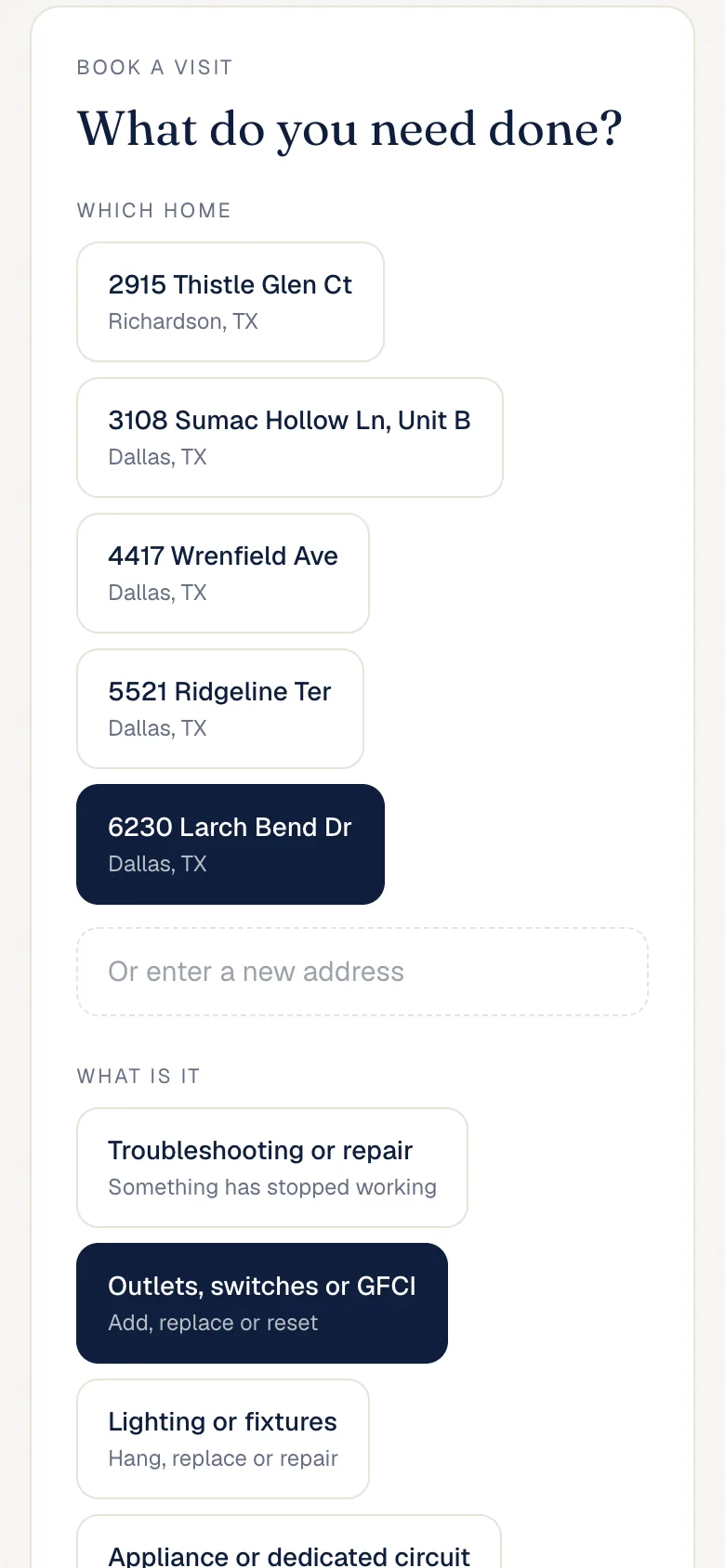
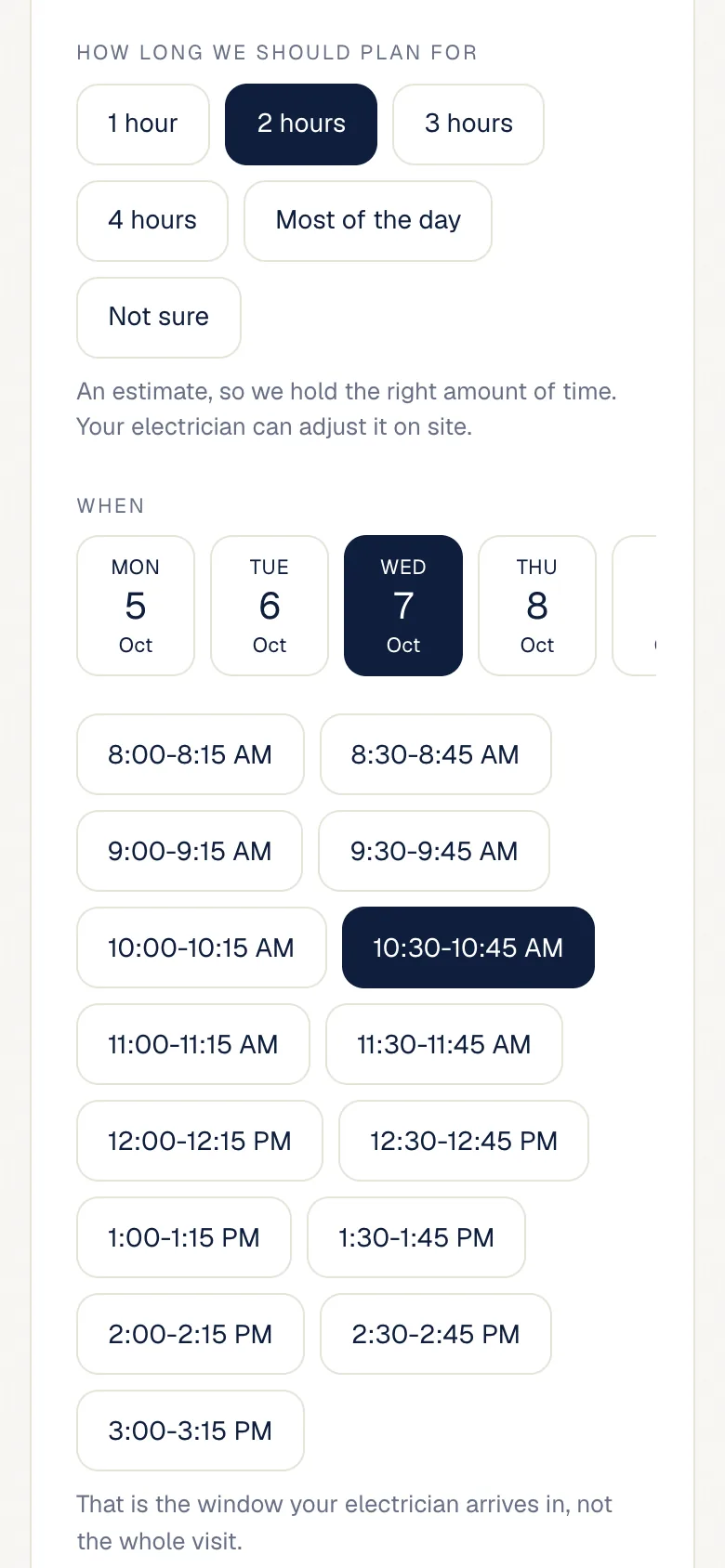
Open times start every half hour on weekdays, up to four weeks out. Your electrician arrives inside a 15-minute window.
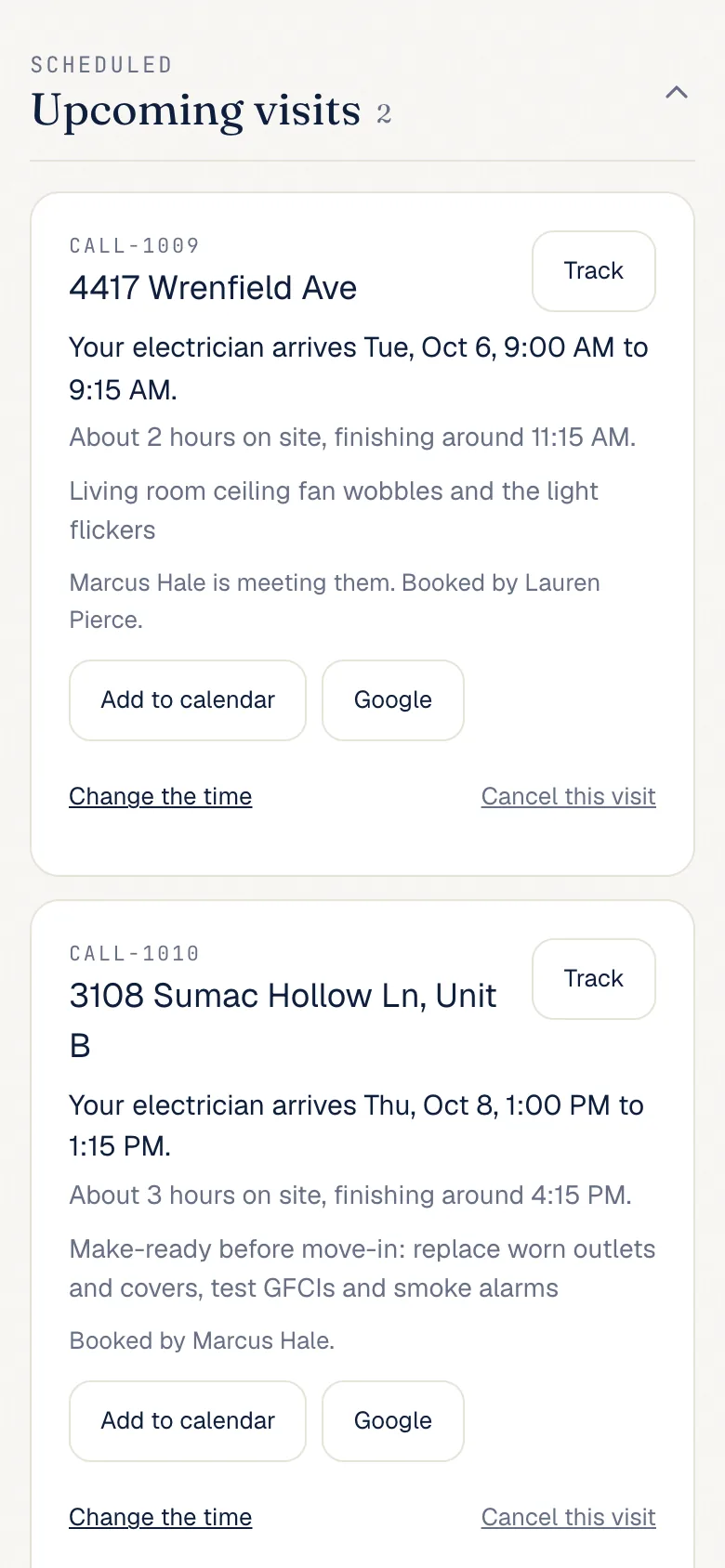
See who is meeting the electrician, follow the visit on the day, and add it to a calendar. Move or cancel it up to 24 hours ahead.
Quotes wait for your OK. Invoices show what is due at each property and can be paid online by card or bank transfer.
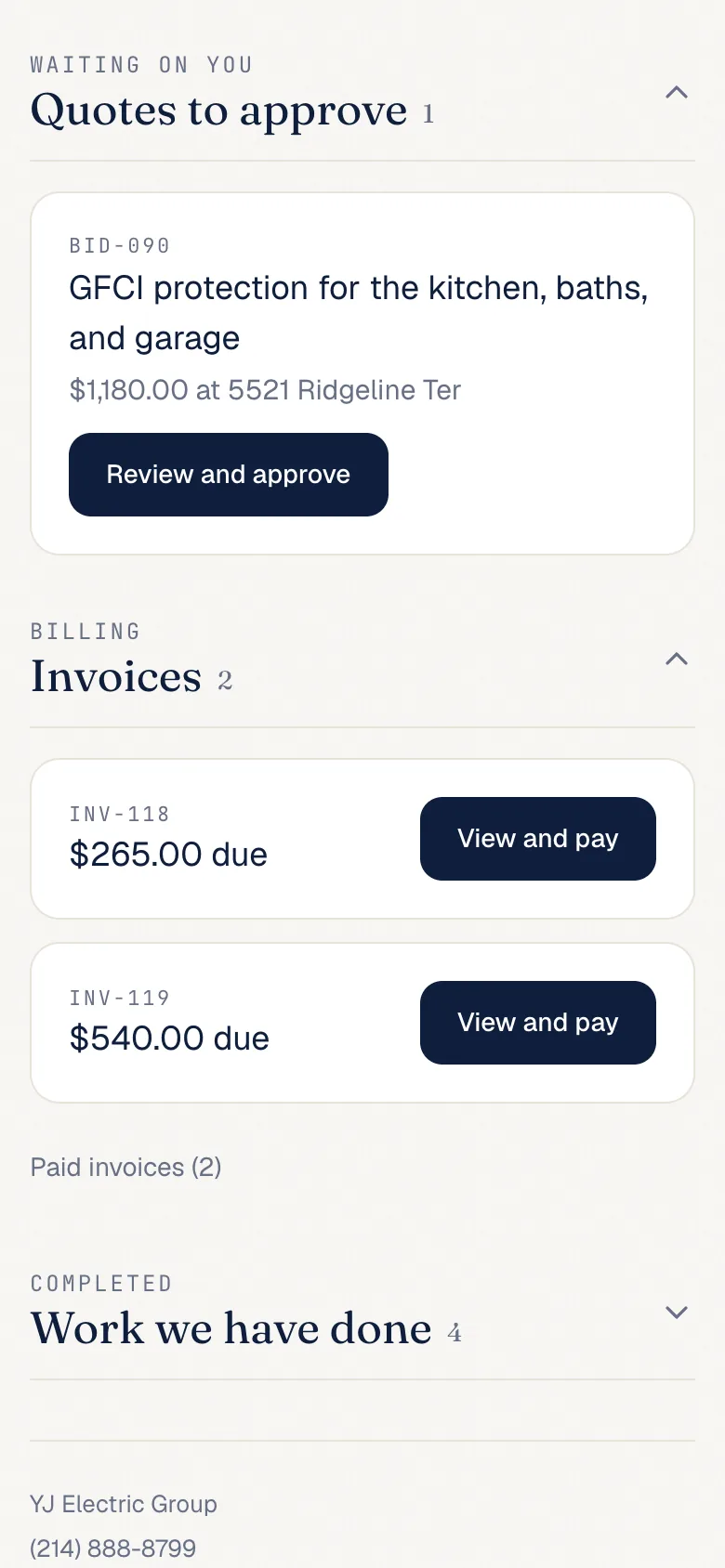
Screens from a sample account. The company, people, and addresses are made up.
Ready in one business day.
- TodayRequest access
Two minutes. Your name, company, phone, and email.
- Within one business dayWe set it up
We add your properties and your team, then text each person their private link.
- From then onBook from your link
Pick a property, a job, and an arrival time. No app and no password.

From turnovers to tenant calls.
One electrical partner for the whole portfolio, from a single rental to a commercial building.
Common questions.
Is there a cost for the portal?
No. The portal is free. You pay for the electrical work, and each visit is invoiced to its property.
How do we get access?
Request access on this page. An owner sets up your properties and your team, and your portal is ready within one business day. Each person gets a private link by text. There is no app to download and no password.
Can tenants book directly?
No. Links go to your team, so requests and approvals stay with you. When you book, choose who will meet the electrician. For a tenant, add their name and mobile number, plus any gate codes or parking notes.
How do invoices work?
Each invoice is tied to its property and emailed to your billing contact. It also shows in the portal, where you can pay online by card or bank transfer. You can also mail a check.
How soon can you come out?
Book any open arrival time on a weekday, up to four weeks ahead, including later the same day when a time is open. You can move or cancel a visit in the portal up to 24 hours before it.
Your portal, ready in one business day.
It's free, and there's nothing to download. Tell us who you are, and an owner will set up your properties and your team. Questions first? Call 214-888-8799.